
01
Install on your PC
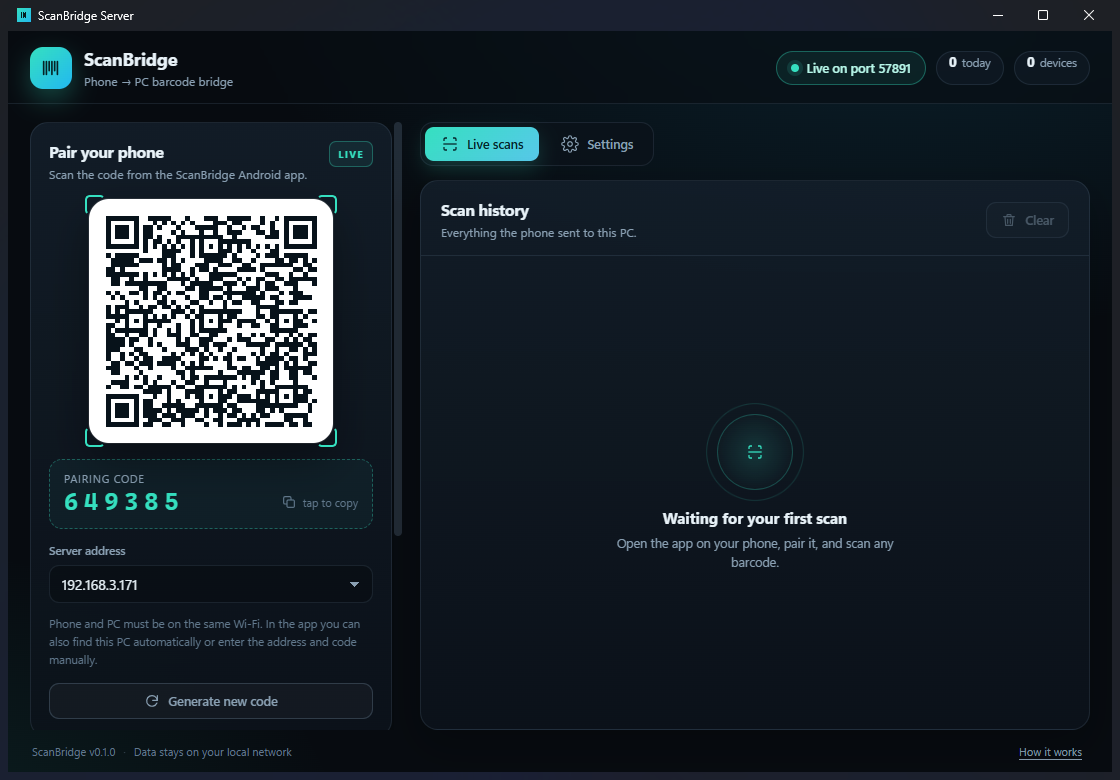
Run the Windows installer. ScanBridge sits in the tray and waits for your phone on your local Wi-Fi.
Scan with your Android phone and the barcode appears instantly in Excel, your POS, ERP or any app on your PC. No dedicated scanner. No cloud. No monthly hardware fees.
14-day free trial · No credit card · Windows 10/11
8902242721168
Sent to PC
Install the Windows server, install the Android app, scan the QR code. That’s it.
Run the Windows installer. ScanBridge sits in the tray and waits for your phone on your local Wi-Fi.
Open the Android app and point it at the QR code on your PC. Address and pairing code are configured automatically.
Click the field you want to fill, scan a barcode, and watch the digits appear. Works with pretty much anything.
ScanBridge is designed for shops, warehouses and offices where scanning is part of every minute.
Emulates a keyboard or pastes text into the focused window. No browser extension or integration required.
Scans travel only inside your Wi-Fi. No cloud database, no accounts, no tracking. Turn off the internet and it still works.
Add SKU prefixes, delimiters or an automatic Enter keypress so every app receives exactly the format it expects.
Walk out of Wi-Fi range? The phone queues scans and sends them automatically when the connection returns.
EAN-13, UPC-A, Code 128, Code 39, QR, Data Matrix, PDF417, ITF and more — handled by ML Kit on the phone.
Every scan is logged on the PC with time, format and device. Copy any barcode with one click.
Scan products straight into your billing screen. Works alongside any POS that accepts keyboard input.
Receive, count and dispatch stock while walking the aisles. No handheld terminal purchase.
Look up medicines and batches in your own system without retyping long EAN codes.
Check books, equipment or files in and out using the phone already in your hand.
Scan tickets or badges into a spreadsheet or check-in sheet at the door.
Fill spreadsheets, forms and internal tools with serial numbers and barcodes.
No subscription. No per-scan fees. The Android app is free; the Windows server needs a license after the trial.
14 days, full features
1 Windows PC · lifetime license
Up to 5 Windows PCs
Up to 15 Windows PCs
Prices in USD. Taxes may apply at checkout. Need more than 15 PCs? Contact us for a custom quote.
Download the Windows server and the Android app. Both are small, signed and install without admin rights.
Windows 10/11 · Android 8.0+ · Installer 126 MB · APK 36 MB
macOS/Linux builds are in beta — ask for access.
No. Phone and PC talk directly over your local Wi-Fi. The internet is only needed to download the app and buy a license.
Yes, if the app accepts typed or pasted text. ScanBridge acts like a very fast keyboard, so there is nothing to integrate. If a field can be clicked and typed into, it can receive barcodes.
The phone app is free. The Windows server is the part that turns scans into keystrokes and runs in your business all day, so it is licensed per PC after a 14-day trial.
Yes. One Windows license allows unlimited phones paired to that PC, and up to three active phones at a time.
After checkout you receive a license key by email. Paste it into ScanBridge → Manage license. Keys are verified offline and bound to your machine code.
Yes. Try the full product for 14 days first. If you buy and it does not work for you, contact us within 14 days of purchase for a refund.
We are rolling out on Google Play. Until then, download the APK directly and allow installation from your browser. The APK is signed and contains no ads or trackers.
No. Barcodes are sent only from your phone to your PC over the local network. There is no cloud account, no analytics SDK and no scan database on our servers.
Install ScanBridge and scan your first barcode in under five minutes.